Related Resources
What is a Package Firewall?
Reading Time: 4 min(s)
Package Firewall: Your First Line of Defense for Development Pipeline Security
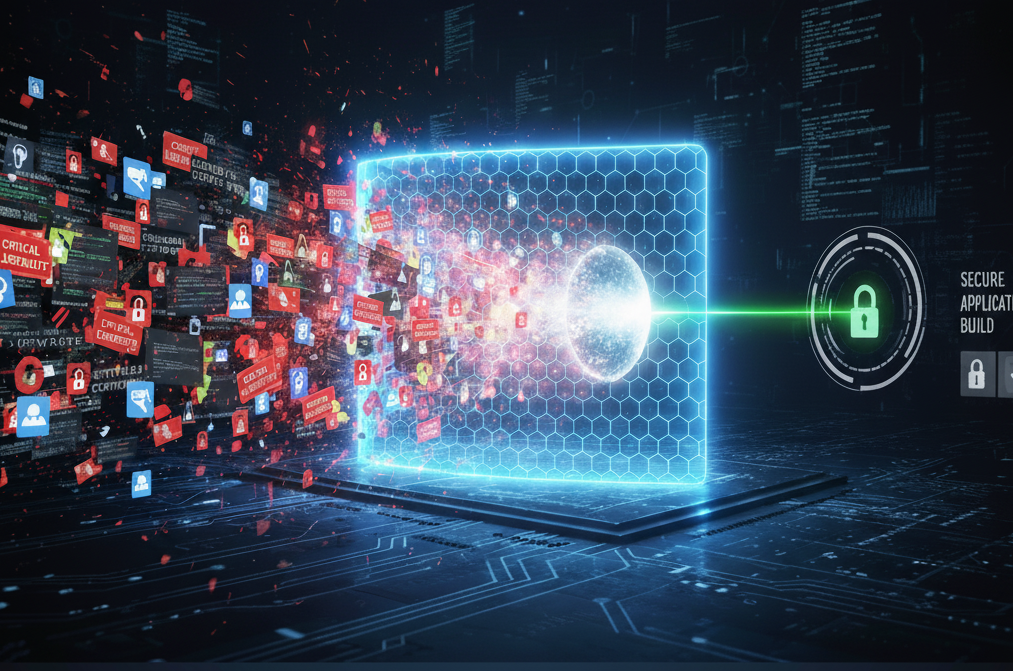
A Package Firewall is a security tool that checks software dependencies at the proxy level. It blocks vulnerable, malicious, or non-compliant packages before they reach your development environment. By serving as a proactive gatekeeper, it prevents security debt and supply chain attacks from compromising your software foundation.
What is a Package Firewall?
A Package Firewall acts as a “vigilant bouncer” for your software supply chain. It sits between public repositories (like npm, PyPI, or Maven Central) and your internal development environment. When a developer or build process requests a dependency, the firewall analyzes it against threat intelligence and organizational policies in real time.
Unlike SCA tools that find issues after a package is installed, a Package Firewall blocks threats and vulnerabilities before they even enter. This early protection is key for modern DevSecOps, ensuring security starts right at the beginning of the software development process. It’s proactive security at its best.
Why is a Package Firewall Crucial?
Developers pull hundreds of dependencies daily. Without a firewall, each package represents a potential loophole. Implementing a Package Firewall addresses these risks through:
- Reduced Remediation Costs: Blocking a vulnerability upfront eliminates the expensive and time-consuming process of fixing it post-production. It’s far more cost-effective to address security issues during the development phase rather than dealing with the fallout of a breach after a product has launched.
- Proactive Prevention: It stops threats before they reach build servers or workstations. Advanced solutions can detect 82% of vulnerabilities often missed by standard SCA tools, ensuring a cleaner code base from the start.
- Mitigation of Supply Chain Attacks: It actively blocks sophisticated attacks like typosquatting (e.g., react-modules vs. react-module), dependency confusion, and malicious injections. Research indicates high-quality firewalls block 60% more malicious packages than competitors.
- Automated Governance: It enforces granular policies—such as blocking packages with specific license types, low maintainer reputation, or those less than two weeks old—without manual intervention.

How Does a Package Firewall Work?
A Package Firewall integrates directly with package managers (e.g., npm, pip, Maven, NuGet) and CI/CD tools. This allows it to scan and block malicious or unwanted open-source packages before they are downloaded into your environment. The process typically follows these steps:
- Interception: The firewall proxies requests for new components or dependencies.
- Real-Time Analysis: It inspects the package against:
- Vulnerability Databases: Checks for known CVEs.
- Malicious Behavior: Scans for malware, backdoors, or cryptominers.
- AI-Powered Threat Intelligence: Detects zero-day threats and anomalies that standard databases miss.
- Custom Policies: Verifies compliance with internal rules (e.g., “Block all GPL v3 licenses”).
- Enforcement:
- Approve: The package installs normally.
- Warn/Quarantine: The developer receives a warning or the package is held for review.
- Block: The installation is denied, protecting the environment.
- Logging & Reporting: Every attempt is logged, creating an audit trail for compliance.
Implementing a Package Firewall: Best Practices
To maximize security without slowing down development, focus on these implementation strategies:
- Audit Before Enforcing: Run the firewall in “audit” or “monitor” mode first. This allows you to see what would be blocked without breaking current builds.
- Define Clear Waiver Workflows: Developers need a fast path to request exceptions. Automated waiver approvals for low-risk scenarios keep teams moving. By providing a streamlined process for these requests, you can avoid unnecessary delays and maintain development velocity without compromising on essential security standards.
- Prioritize Developer Experience: When choosing a software solution, look for one that gives you clear error messages right in your command-line interface (CLI) or integrated development environment (IDE). These messages should tell you exactly why a package was blocked, making it easier to fix the problem without having to dig for answers. This instant feedback helps you understand and resolve issues quickly.
- Update Automatically: Ensure your firewall leverages real-time threat intelligence to block new threats instantly.
Frequently Asked Questions
Q: What is the difference between a Package Firewall and SCA?
A: A Package Firewall blocks threats before entry (prevention), acting as a proxy. SCA scans code after entry (detection) to identify vulnerabilities in installed software. Both are necessary for a complete defense.
Q: Will a Package Firewall break my build?
A: It can, if a requested package violates policy. However, using “audit mode” during setup and establishing automated waiver workflows minimizes disruption while maintaining security.
Q: What ecosystems do Package Firewalls support?
A: Enterprise-grade firewalls typically support major ecosystems including npm (JavaScript), PyPI (Python), Maven (Java), NuGet (.NET), RubyGems, and Go Modules.

Fortify Your Software Supply Chain Today
Don’t wait for a malicious package to infiltrate your development pipeline and compromise your software. Implement a Package Firewall to proactively secure your dependencies, enhance your pre-production security, and build a more resilient supply chain firewall. It’s an essential investment for any organization committed to building and delivering secure software with confidence.
Ready to Proactively Secure Your Development Pipeline?


Get started today
Harness the power of Veracode
For secure, confident coding to identify
and fix vulnerabilities early.